


Flirtify: Live Video Chat
3.66.00 Reviews
App Specs
- Version
- 1.0.10
- Updated On
- License
- Free
- Downloads
- 100,000+
- Developer
- AMUZEIT LTD
- Categories
- Communication
- Platform
- Android
Screenshots
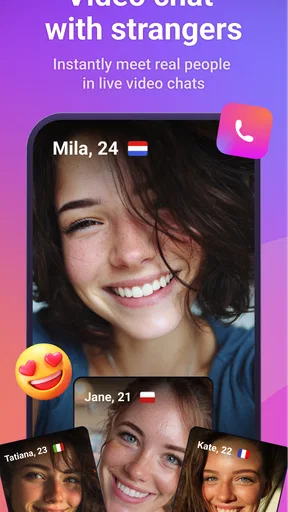
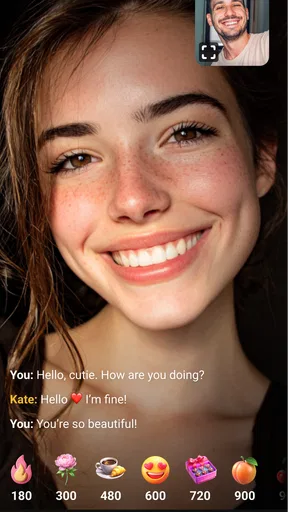

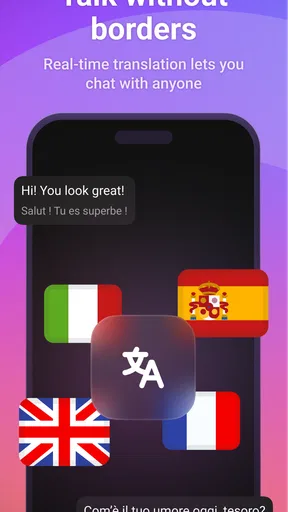
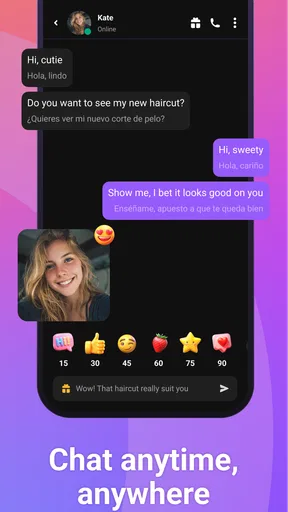
 Analysis by AppCompare
Flirtify: Live Video Chat is a communication app built around spontaneous one-to-one video conversations. I found its appeal easy to understand: instead of composing messages, waiting for replies, or arranging a call in advance, you can move straight into a live interaction with someone new. That immediacy gives it a different mood from ordinary messaging apps, but it also makes the experience less predictable and more dependent on your comfort with strangers.
My overall view is positive but cautious. Flirtify can be entertaining when I want a quick social break and do not mind meeting people without much context. It is less convincing as a replacement for a trusted messaging service, a carefully moderated dating platform, or a private video-calling tool. The app’s strongest quality is its low-friction format; its biggest challenge is that the same lack of preparation can create awkward, uneven, or uncomfortable conversations.
How the live-chat experience feels in everyday use
The app sits in the communication category, but it is more focused than a typical chat client. Its central idea is live video interaction, with random conversations and one-to-one calls presented as the main ways to connect. That makes the first few minutes important. You are not opening a long-running conversation with a friend; you are deciding quickly whether a new interaction feels worth continuing.
I think the format works best when I treat it as a short social activity rather than a serious relationship tool. For example, after finishing work, I might have a few minutes before dinner and want something more engaging than scrolling through posts. A random video conversation can provide that change of pace. It feels more personal than text, and the visual element makes it easier to notice whether the other person is actually interested in talking.
That same immediacy means the experience rewards a little preparation. I would not open the app in a noisy room, with poor lighting, or while doing something that needs my full attention. A simple background, headphones if needed, and a stable connection make a noticeable difference to how comfortable the call feels. These are small details, but they matter more here than in a text-based app because the other person sees and hears the environment around me.
The live format also changes how I judge a conversation. In ordinary messaging, an awkward pause can be covered by taking time to write. In a video call, silence arrives immediately. I found it useful to keep two or three easy topics in mind before starting: hobbies, music, travel, films, or what brought me to the app. That does not turn the interaction into an interview; it simply prevents the first quiet moment from ending the conversation too quickly.
What makes the format stand out
The clearest strength is speed. Flirtify does not ask me to build a detailed profile of someone before deciding whether we might get along. That can feel refreshing compared with platforms where I spend more time browsing, judging photos, and writing opening messages than actually speaking. Here, the conversation itself provides the first impression.
Worth Reading Before You Choose

EA SPORTS FC Mobile 26 Is a Bigger Football Game, but It Takes Time

Flipboard Shows What News Apps Must Do Beyond the Feed

Switching to Android Auto Means Rethinking Your Driving Routine

Google Calendar Makes a Crowded Week Easier to Manage

Ludo King Makes the Most of the Minutes Between Plans

Baby Panda World Brings Quick Play to Modern Phones, but Its Game Library Feels Busy
Video also gives the app a more immediate social feel than voice-only or text-only services. Facial expressions, tone, and timing carry information that messages often lose. If both people are relaxed, a short call can feel surprisingly natural. I can tell more quickly whether a conversation is playful, serious, uncomfortable, or simply not going anywhere.
Another useful quality is that the app can suit different levels of commitment. I do not need to promise a long conversation before starting. A brief exchange can be enough, and I can leave when the interaction no longer feels worthwhile. That flexibility is valuable for people who enjoy meeting new people but do not want every connection to become an ongoing chat.
There is also a practical advantage for users who find opening messages difficult. The usual alternatives often put pressure on the first written line: it has to be interesting, respectful, and different from dozens of other messages. A live call removes that particular hurdle. Instead of trying to sound appealing in a sentence, I can rely on ordinary conversation and see whether there is mutual energy.
Small habits that improve the experience
My first recommendation is to decide on a personal stopping rule before beginning. If a conversation becomes disrespectful, overly sexual, or simply uncomfortable, there is no benefit in staying to be polite. Ending the call quickly is better than trying to rescue an interaction that has already crossed a boundary. This is especially important because the app carries a Mature 17+ age rating and is clearly intended for an older audience.
A second useful habit is to avoid sharing identifying details too early. A live conversation can create a false sense of familiarity because seeing someone’s face feels more personal than reading a username. I would keep information such as my home address, workplace details, daily routine, financial situation, and private contact details out of the first conversations. The goal is to enjoy the social side without giving a stranger unnecessary access to my life.
A third tip is to use the first minute as a comfort check rather than a performance. I pay attention to whether the other person listens, respects a simple request, and allows the conversation to develop naturally. If someone repeatedly pressures me to reveal more, move elsewhere, or continue after I have said no, that tells me more than an attractive introduction ever could.
It is also worth remembering that a video call can expose more than intended. Notifications, family members, documents, screens, and room details may appear in the background. I would check the camera view before connecting and keep the phone positioned so that only the intended surroundings are visible. This is a practical step that many people overlook when they are focused on meeting someone new.
Where the app creates friction
The random nature of the service is both its attraction and its main weakness. I cannot assume that every match will share my interests, communication style, or expectations. Some calls may be lively, while others may end almost immediately. Anyone looking for consistently thoughtful conversations may find that unevenness tiring.
There is also a social cost to being visible on camera. Even users who enjoy video calls with friends may feel different when speaking to a stranger. Appearance, lighting, camera angle, and background can become distractions. I would not recommend the app to someone who already feels strong pressure about being judged on screen, unless they are comfortable leaving quickly and treating the experience casually.
The app’s mature positioning requires common sense from both sides. A mature audience does not automatically mean every conversation will match the same boundaries or intentions. I would approach each call with clear limits and avoid assuming that another person’s friendliness means trust has been established. That is not a criticism unique to this service, but the live and random format makes it particularly relevant.
Cost is another point to consider. The app is free to download and use at its basic level, but it includes in-app purchases ranging from around eleven dollars to nearly seven hundred dollars per item. That is a very wide range, so I would be careful around any paid option and check exactly what it provides before confirming a purchase. Someone who only wants occasional casual conversations should set a firm spending limit rather than treating upgrades as part of the normal cost of every call.
For me, this pricing structure makes the app easier to recommend as a free trial than as an open-ended paid habit. I would first decide whether the conversations themselves are enjoyable. Only after that would I consider whether any optional purchase solves a real problem for my own use. Paying simply because a call was disappointing would be a poor trade.
How it compares with familiar alternatives
Compared with standard messaging apps, Flirtify is more immediate and more personal, but also less dependable. Messaging services are better when I need to maintain a relationship, send information, return to a conversation later, or communicate with people I already know. They provide more time to think and usually create a clearer sense of continuity.
Compared with traditional dating platforms, this app puts less emphasis on carefully filtering potential matches before contact. That can make it feel spontaneous, but it removes some of the context that helps people decide whether a conversation is worth starting. A dating service with detailed profiles may be the better choice for someone seeking a specific type of relationship, shared values, or a planned progression from messages to calls.
Compared with dedicated video-call tools, Flirtify is more oriented toward meeting unfamiliar people than coordinating with an existing group. A conventional video-calling app is the obvious choice for family, colleagues, classes, or private appointments. It gives me more control over who joins and why. Flirtify makes more sense when discovery is the point, not when reliability and familiarity matter most.
That distinction helps clarify the app’s proper role. It is not trying to be the universal communication tool on my phone. Its value comes from a narrower situation: I want a live, one-to-one social encounter with someone I do not already know, and I accept that the result may be brief or unpredictable.
Who should try it, and who should skip it
I would recommend Flirtify to adults who enjoy spontaneous conversation, are comfortable appearing on camera, and can handle a few uninteresting or mismatched calls without taking them personally. It may also suit someone who finds written flirting awkward and would rather let personality come through in real time.
It can be useful for people who want to practice casual conversation in a low-commitment setting. The key is to define that goal sensibly. I would use it to become more comfortable starting conversations, listening, and ending interactions politely—not as a guarantee of friendship, romance, or a particular kind of match.
I would skip it if I need dependable contact with known people, strict control over every participant, or a carefully structured approach to dating. I would also avoid it if I am not ready to end a call when boundaries are ignored. The app’s quick access is only an advantage when I am comfortable managing the uncertainty that comes with it.
Families should pay attention to the Mature 17+ rating before deciding whether it belongs on a shared device. The rating is an important signal about the intended audience, and parents should not treat a free download as evidence that the experience is suitable for younger users.
Device support, maturity, and the current release
Flirtify is developed by AMUZEIT LTD and supports devices running Android 7.0 or later. That relatively broad operating-system requirement makes it accessible to people who are not using a recent phone, although the quality of a live video call still depends on the device’s camera, microphone, connection, and surroundings. A compatible operating system alone cannot guarantee a smooth conversation.
The current release is version 1.0.10, which tells me the product is still at an early stage of its life rather than a long-established communication standard. I would keep the app updated and pay attention to how the experience develops over time. Early versions can feel focused and simple, but they may also have rough edges that become more noticeable during live calls than in ordinary apps.
Its average rating is around 3.6 from a little over two hundred ratings, while the app has passed one hundred thousand installs. I read those figures as a sign of interest combined with a mixed user response. They do not make the decision for me, but they support my conclusion that Flirtify is worth approaching as an experiment, not as a guaranteed polished replacement for every other communication option.
My verdict after weighing the trade-offs
Flirtify succeeds when its randomness feels exciting rather than inconvenient. The app gets me into a live conversation quickly, and that is a meaningful difference from services built around profiles, inboxes, and delayed replies. When the other person is respectful and the timing is right, a short call can feel more genuine than a long exchange of carefully edited messages.
Its limitations are equally clear. The quality of the experience can change from call to call, video interaction demands more confidence and privacy awareness, and the broad in-app purchase range means I should be deliberate about spending. It is also not the right tool for private communication with people I already know or for users who want a highly organized route toward a relationship.
My recommendation is therefore specific: try it if you want casual, live social discovery and can keep firm boundaries. Start free, prepare your camera and surroundings, avoid sharing personal details, and leave any conversation that feels wrong. The best way to use Flirtify is as a light, optional social experience—not as a substitute for trust, privacy, or a dependable communication routine.
With that mindset, the app has a clear place on a phone. I would keep it for moments when I am curious, available, and comfortable with uncertainty. If I wanted consistency, control, or a deeper connection built over time, I would choose a different kind of service instead.
Pros
- Quick matching makes it easy to start conversations with new people.
- Live video adds a more personal feel than text-only dating apps.
- Simple interface is easy for first-time users to navigate.
- Useful filters help narrow matches by basic preferences.
- In-app reporting tools help users flag inappropriate behavior.
Cons
- Many useful features may require coins or a paid subscription.
- Video chats can consume significant mobile data and battery life.
- Match quality may vary depending on the number of active users.
- Some profiles may be incomplete or difficult to verify.
- Unexpected messages or calls can feel intrusive for some users.
FAQs for Flirtify: Live Video Chat
What is Flirtify: Live Video Chat and how does it work?
Flirtify: Live Video Chat is a social communication app focused on meeting people through live video conversations. After creating a profile, users can browse available participants, send messages, and start or accept video chats. The experience is designed for spontaneous interactions, so the people you meet, available features, and conversation quality may vary depending on your location, activity level, and account settings.
Is Flirtify: Live Video Chat free to download and use?
The app may be free to download, but some features can require in-app purchases, credits, subscriptions, or other paid options. Video calls, profile visibility, messaging, and access to certain users may not all be included in the basic experience. Before confirming a purchase, review the pricing, renewal terms, and payment details shown in the app store or inside Flirtify, as costs and available plans can change.
Is Flirtify: Live Video Chat safe for meeting strangers online?
As with any live video chat platform, users should be careful when interacting with people they do not know. Avoid sharing your address, phone number, passwords, financial information, or private documents. Use the app’s blocking and reporting tools whenever someone behaves suspiciously or makes you uncomfortable. It is also wise to keep conversations inside the platform and remember that profiles may not always represent a person accurately.
Does Flirtify require a camera, microphone, or personal information?
Video conversations normally require access to your device’s camera and microphone, while messaging and profile features may request additional permissions. You can manage these permissions through your Android or iOS settings, and you should only grant access that feels necessary. The app may also ask for information such as an account name, age, profile photo, or location preferences, so check its privacy policy before registering.
What should I do if I experience inappropriate behavior or technical problems?
If another user sends offensive content, pressures you, requests money, or violates the platform’s rules, stop communicating and use the available report or block functions. Do not respond to threats or suspicious requests. For problems such as failed video calls, login errors, or missing purchases, update the app, check your internet connection, restart it, and contact Flirtify’s official support channel with relevant details without exposing sensitive account information.


